Create and edit Guides & Surveys themes with Global Chat
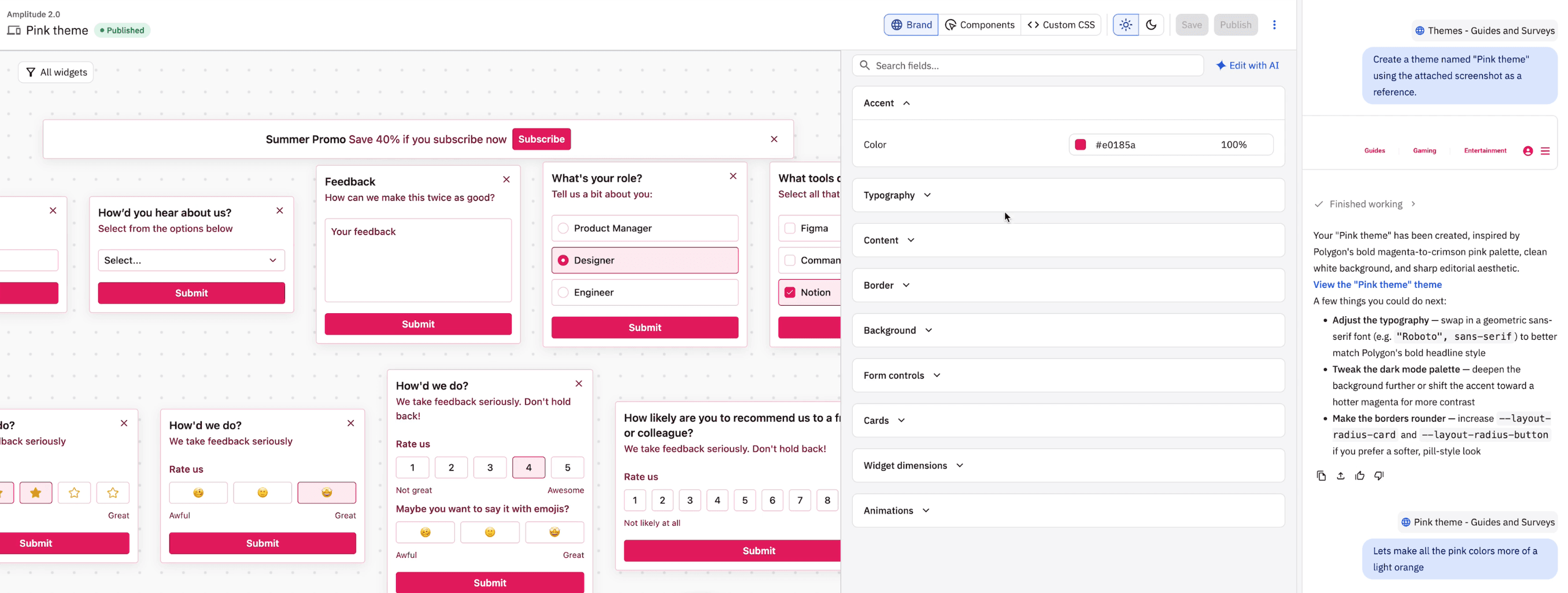
Create and edit G&S themes just by sharing a screenshot of your website/figma files or by describing your dream theme with a short text description. Follow up with quick edits like 'make the button height a tad smaller' or 'give the typography a bold look'. Bonus: Use 'Fix with AI' to fix any and all theme validation errors.
What it is
Description: Designing a Guides and Surveys theme just got a lot faster. Describe your ideal theme in plain text, share a screenshot of your website or Figma file, and Global Chat will generate it for you. Follow up with natural language edits like "make the button height a tad smaller" or "give the typography a bold look" to fine-tune from there. Use "Fix with AI" to resolve any theme validation errors instantly.
Where: Access via Guides and Surveys → Themes → create or edit a theme via Global Chat.
When: Available now on all plans.